Invite your team
An invitation goes out by email with a role attached: the member arrives with the right permissions, with nothing else to set.
Guide2 min
- 1
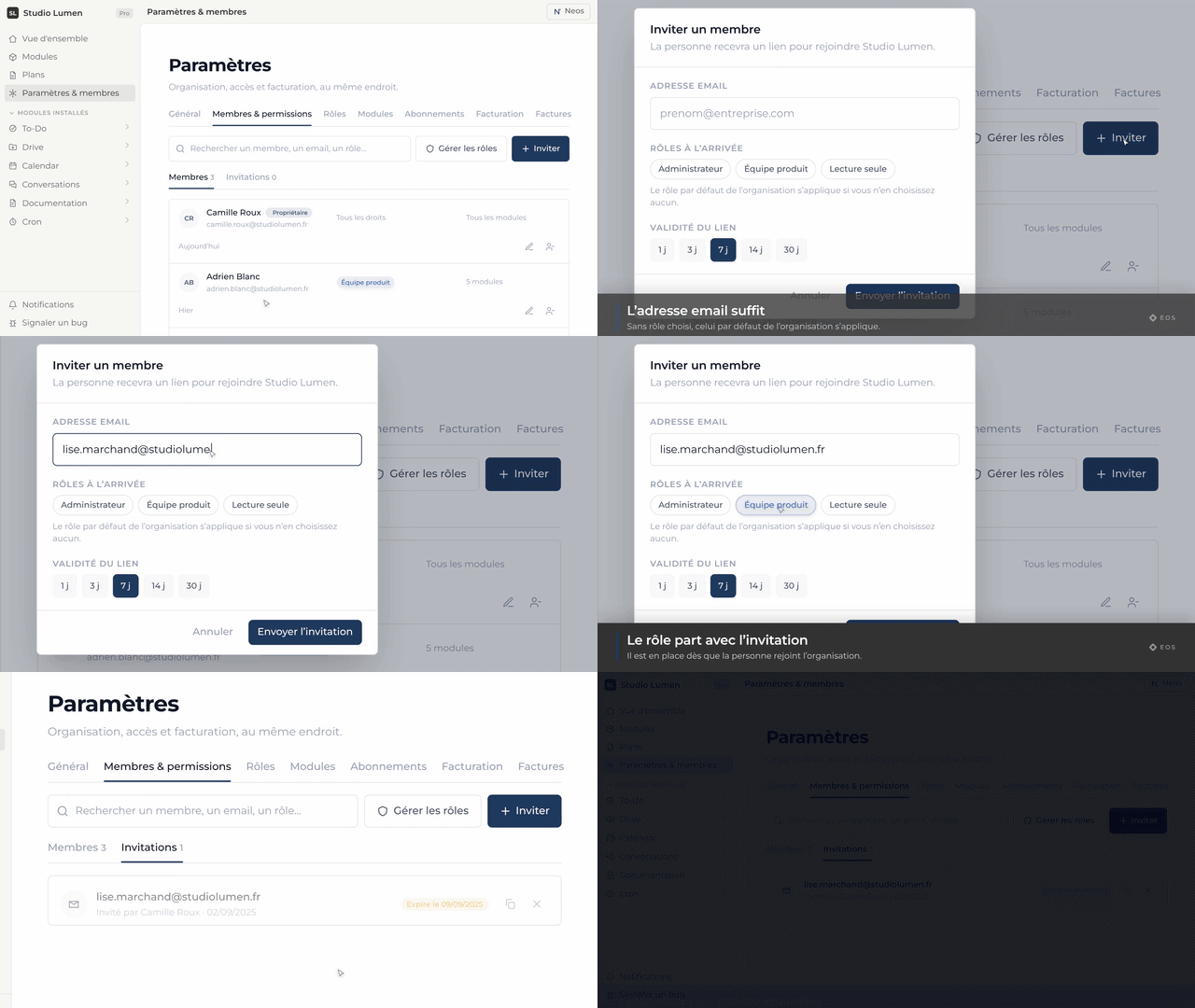
Settings → Members
The organization’s member list, and the invite button.
- 2
Enter the email and pick the role
The role decides what the person sees on arrival: which modules they can reach and which permissions they hold.
- 3
Send
They receive a link valid for seven days. On acceptance they join the organization with their role’s permissions.
Frequently asked
The invitation expired — now what?
Send it again from the same page: the old one lapses and a fresh seven-day link goes out.
They do not have an Eos account yet.
The invitation link takes them to sign-up first, then into the organization: following the link is all they have to do.
Can a member’s role be changed later?
Yes, from the same Members page. The change takes effect immediately, including for a session that is already open.