Roles and permissions
How Eos decides who can do what: roles, permissions granted or revoked person by person, and the rule that settles ties.
Article5 min
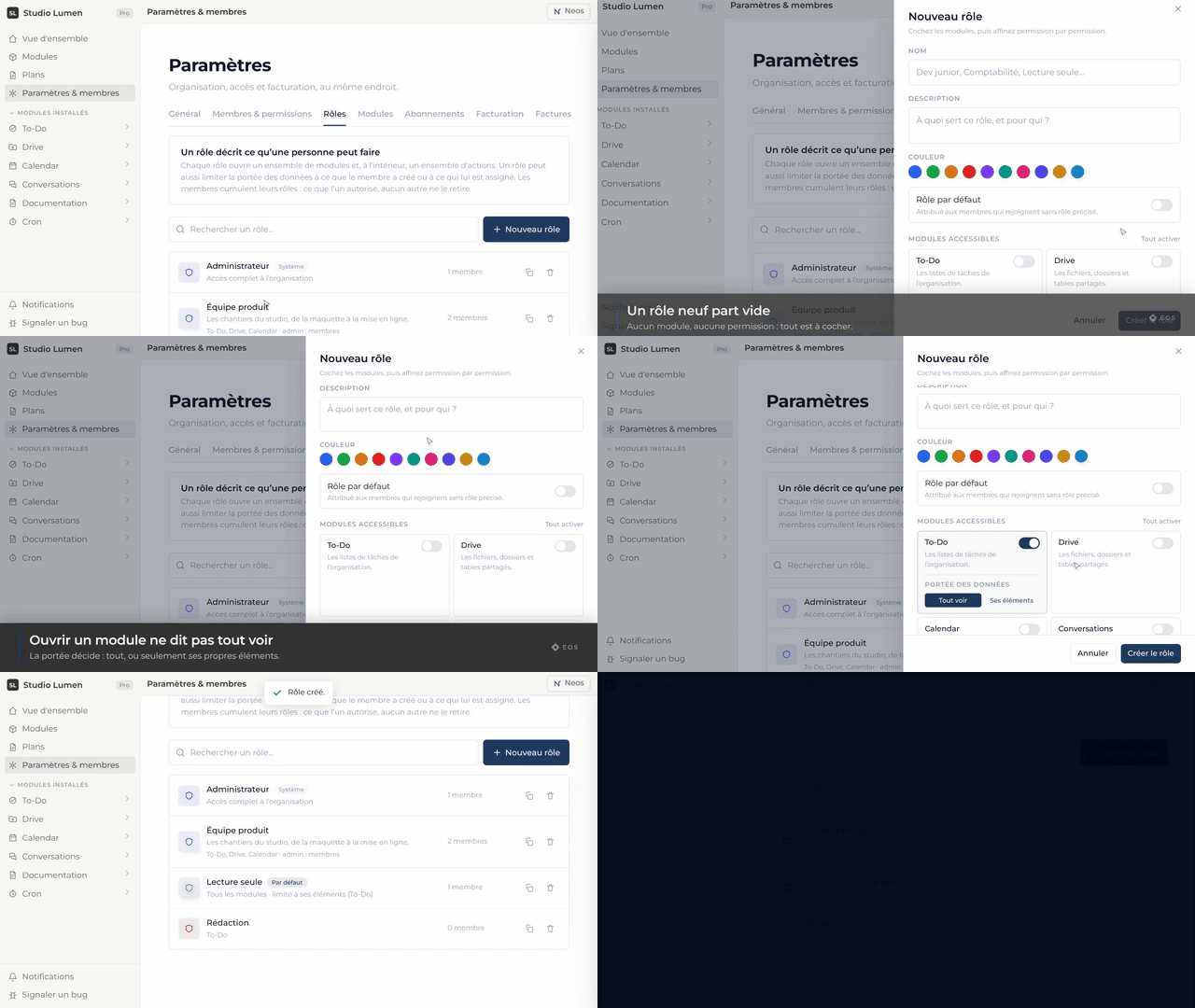
Every organization starts with two roles: Administrator, with full control, and Member, who reaches every module without administering any of them. You can create as many more as you need.
What a role carries
A role defines two things: which modules it opens, and which permissions it holds inside each one — view, create, edit, delete, administer. It is set module by module.
Exceptions, person by person
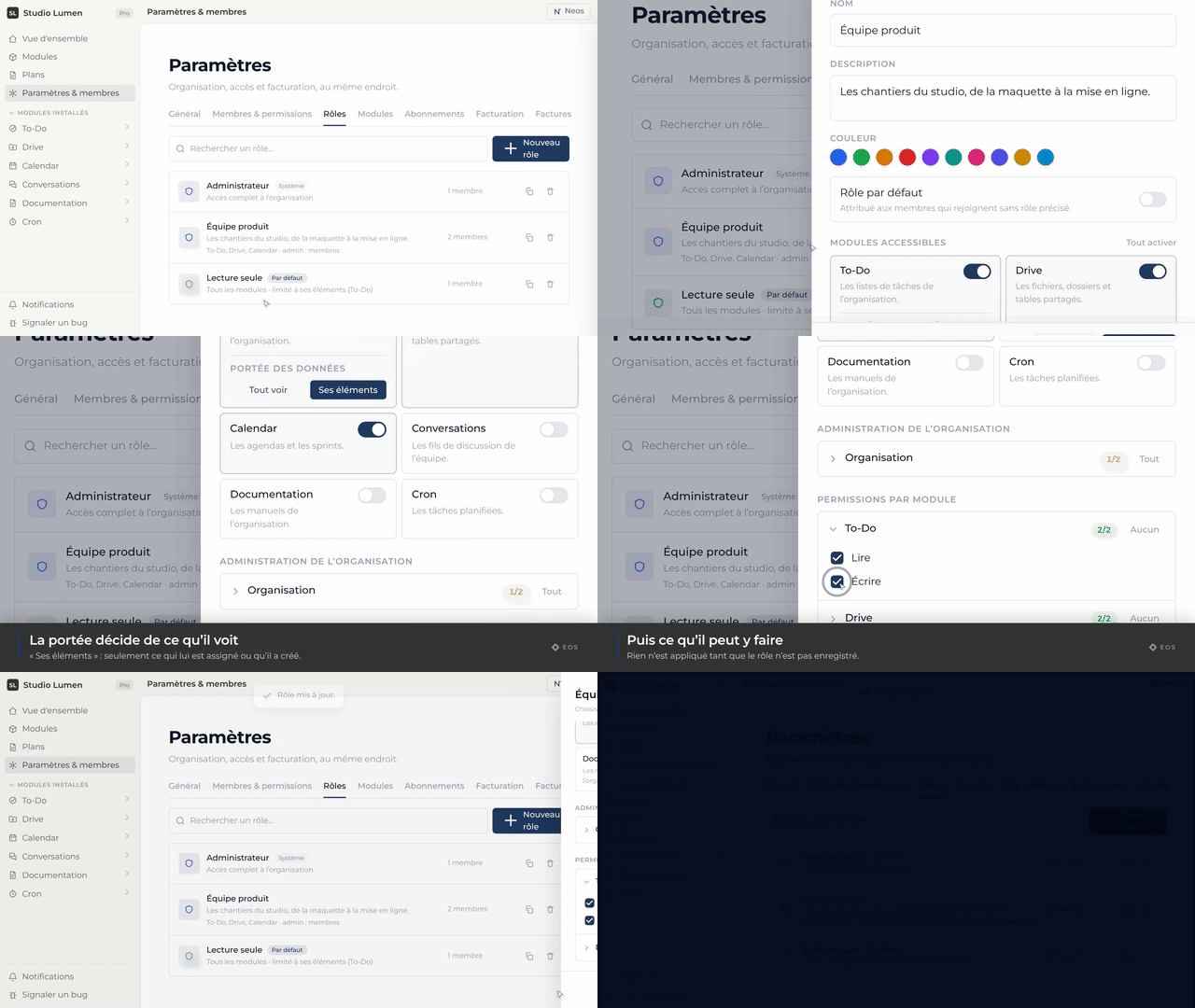
On top of their roles, each member can be granted extra permissions — or explicitly denied some. That is what saves you from creating a role for a one-off right.
Restricting an object to a few people
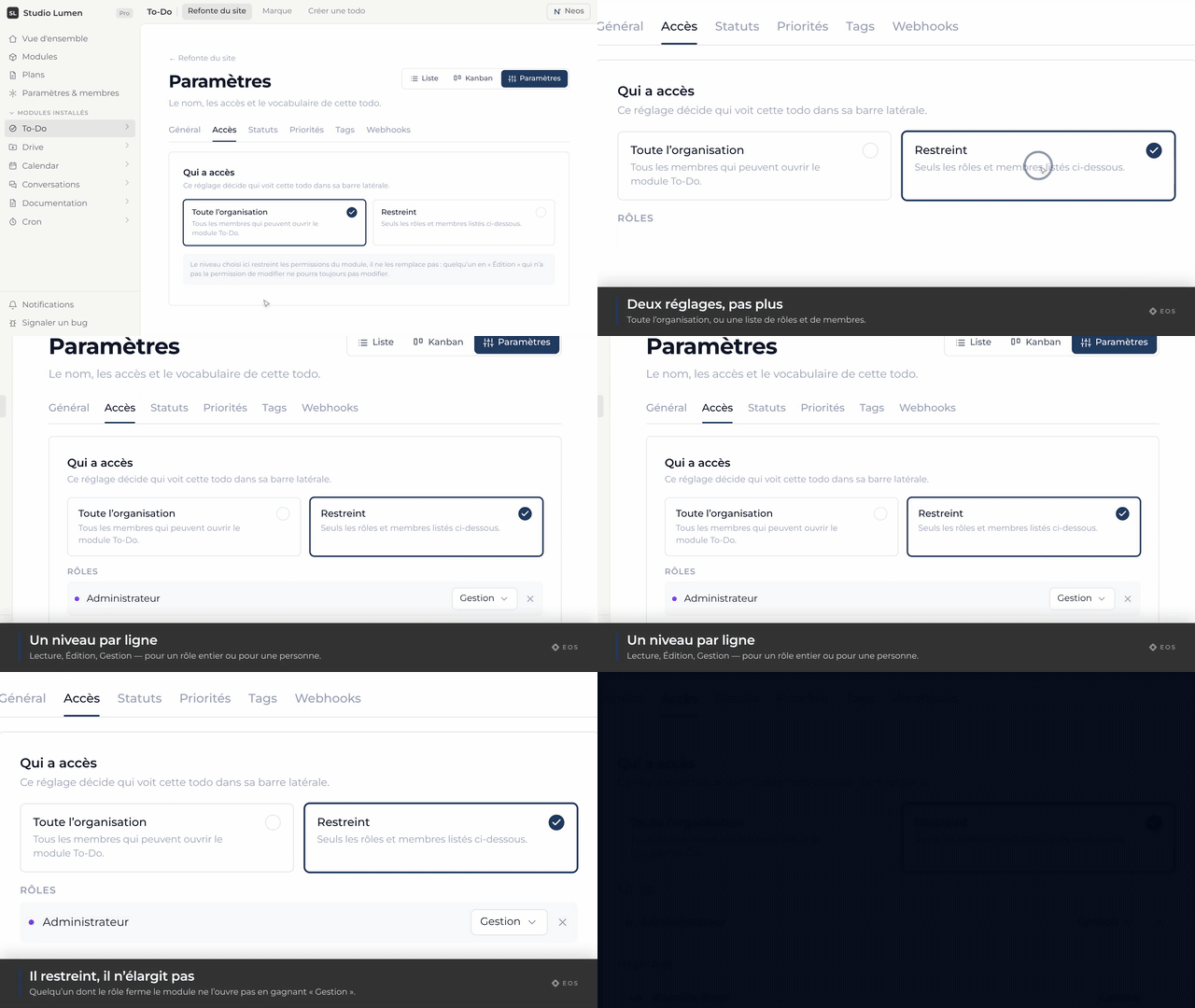
Beyond roles, some objects carry their own access. A task list, a calendar, a documentation can be open to the whole organization or restricted to the roles and people you name, for reading, writing or managing. For everyone else, the object does not exist.
Frequently asked
Can a member hold several roles?
Yes. Their permissions are then the union of their roles’, minus any explicit denials aimed at them.
How do I remove all rights without removing the person?
Create a role with no module access and give them that role alone. They stay a member of the organization and see nothing.