Talking to Neos
Where to find it, what it can do, and why it always asks before writing anything.
Article4 min
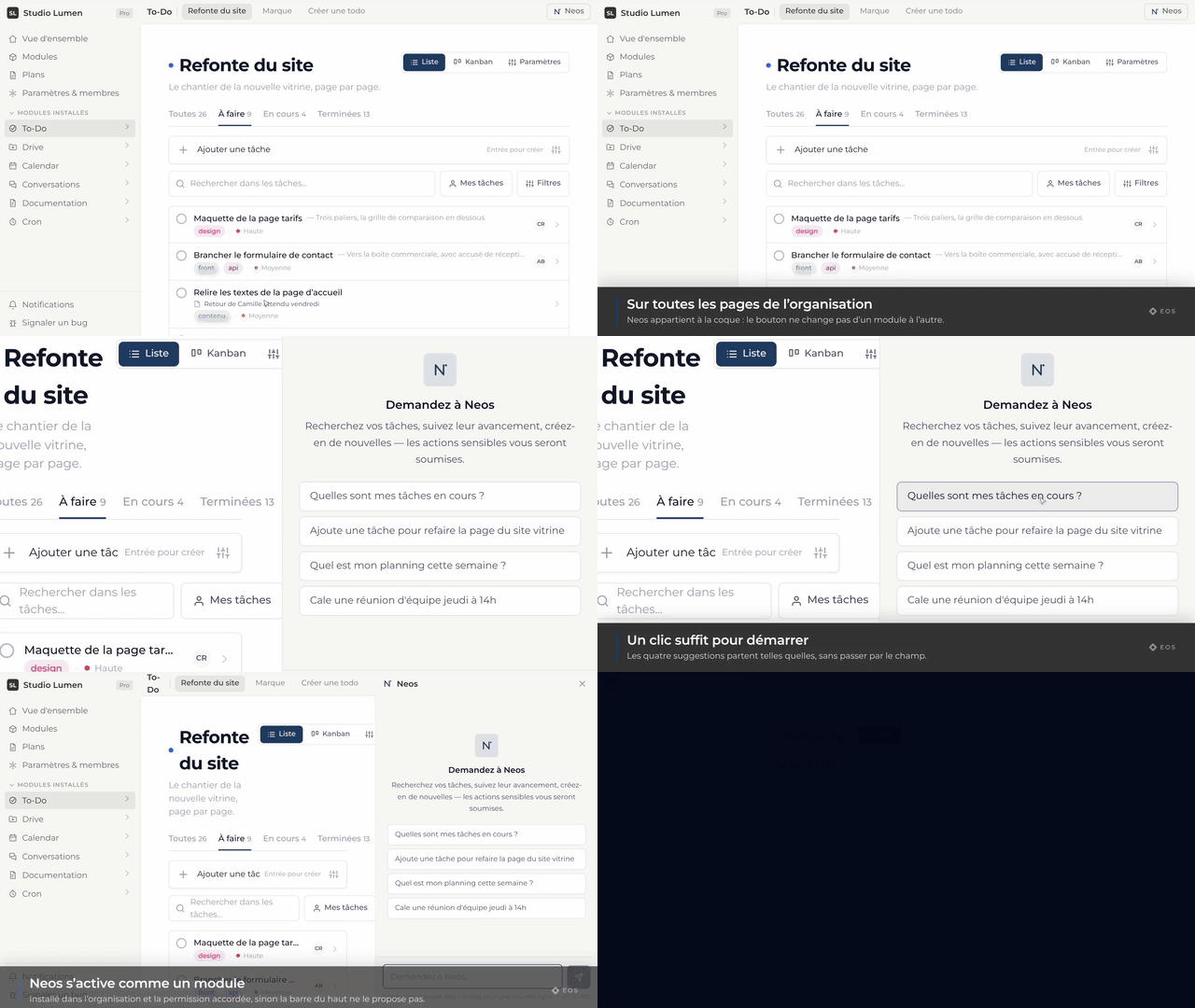
Neos is the Eos assistant. It lives in a panel available on every page of the organization, it sees what you see, and it acts inside your modules — after your approval, never before.
How to talk to it
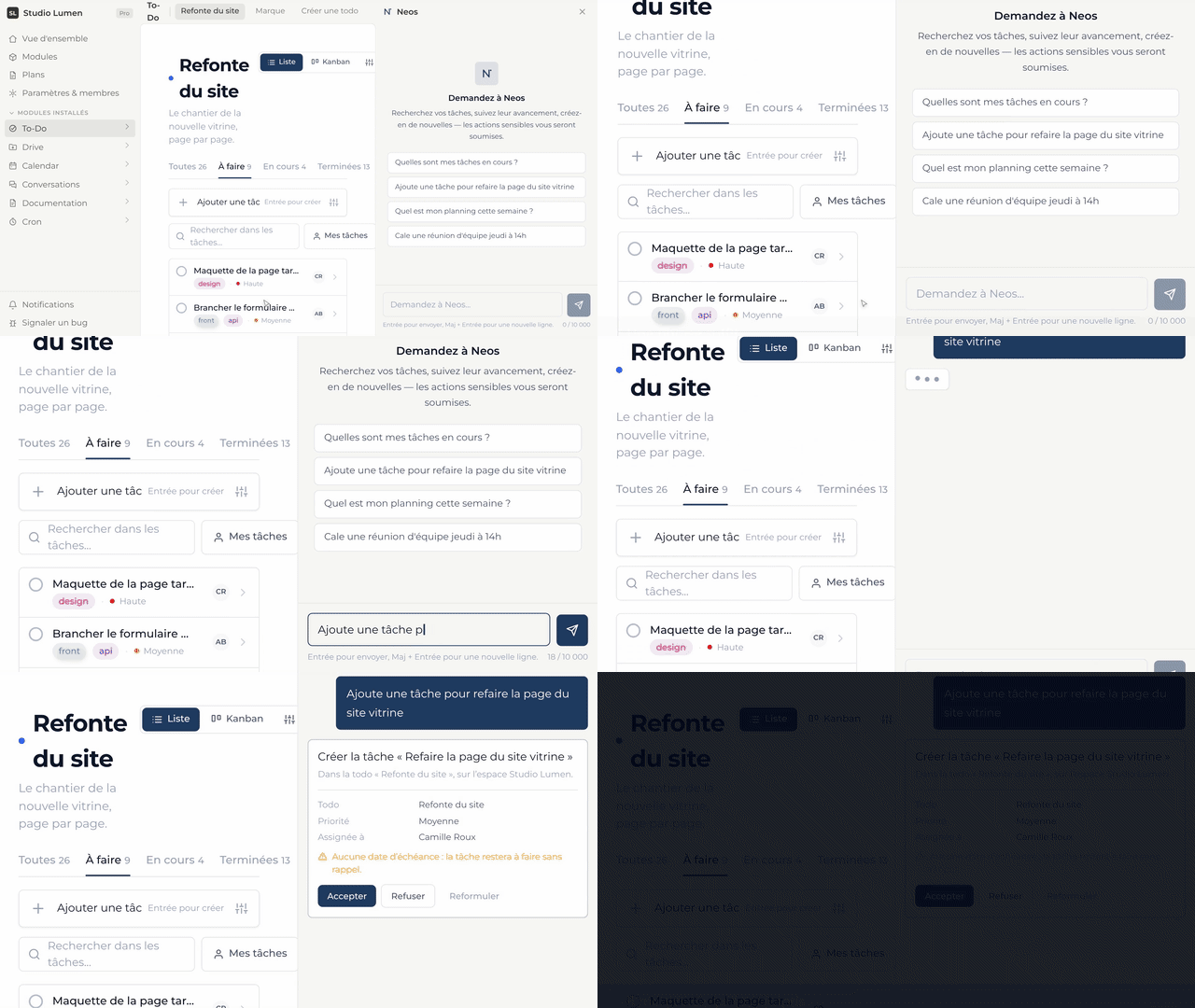
Write your request the way you would say it: “what are my overdue tasks?”, “add a task to chase the client on Friday”, “open the quote document”. There is no syntax to learn.
The confirmation card
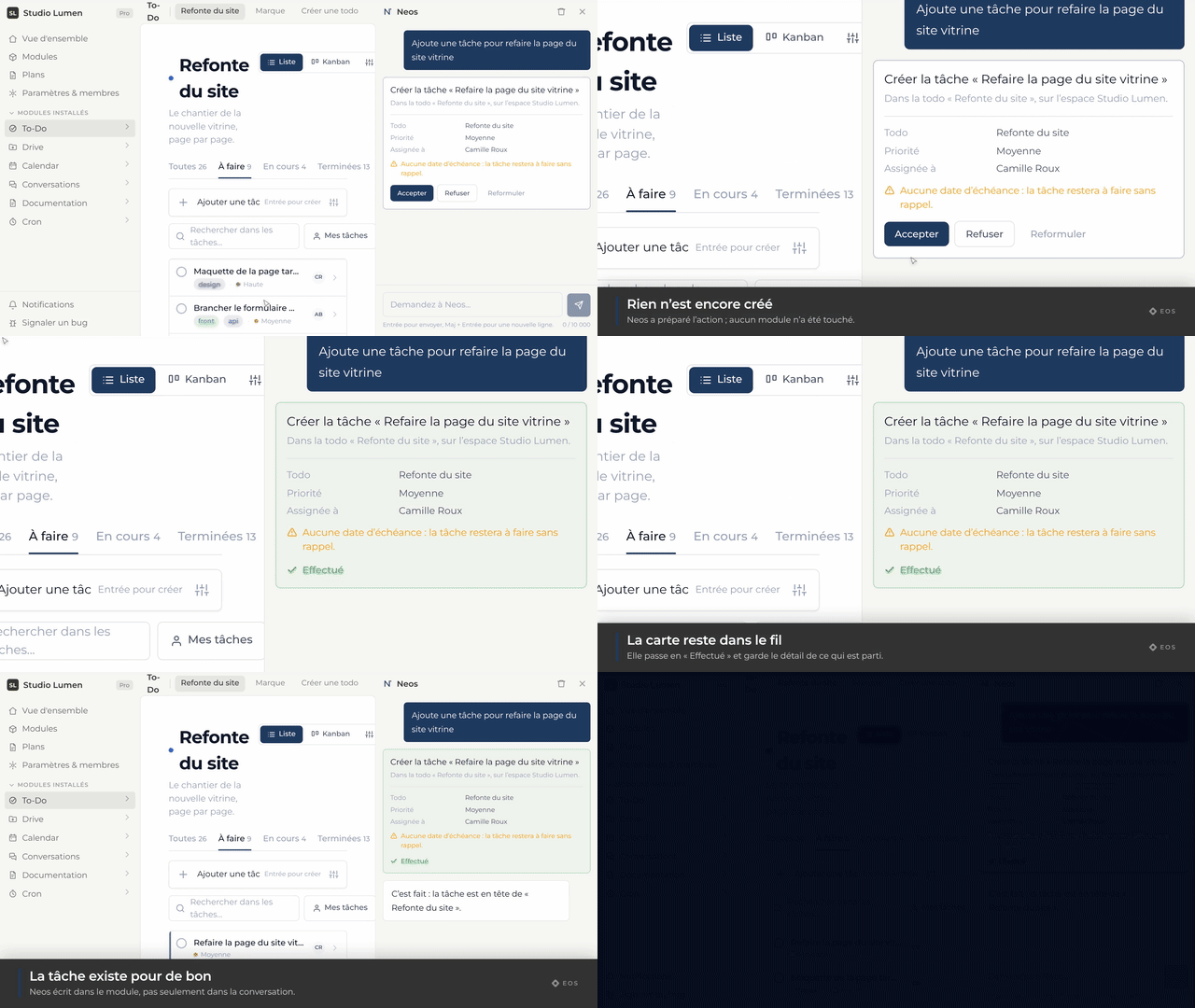
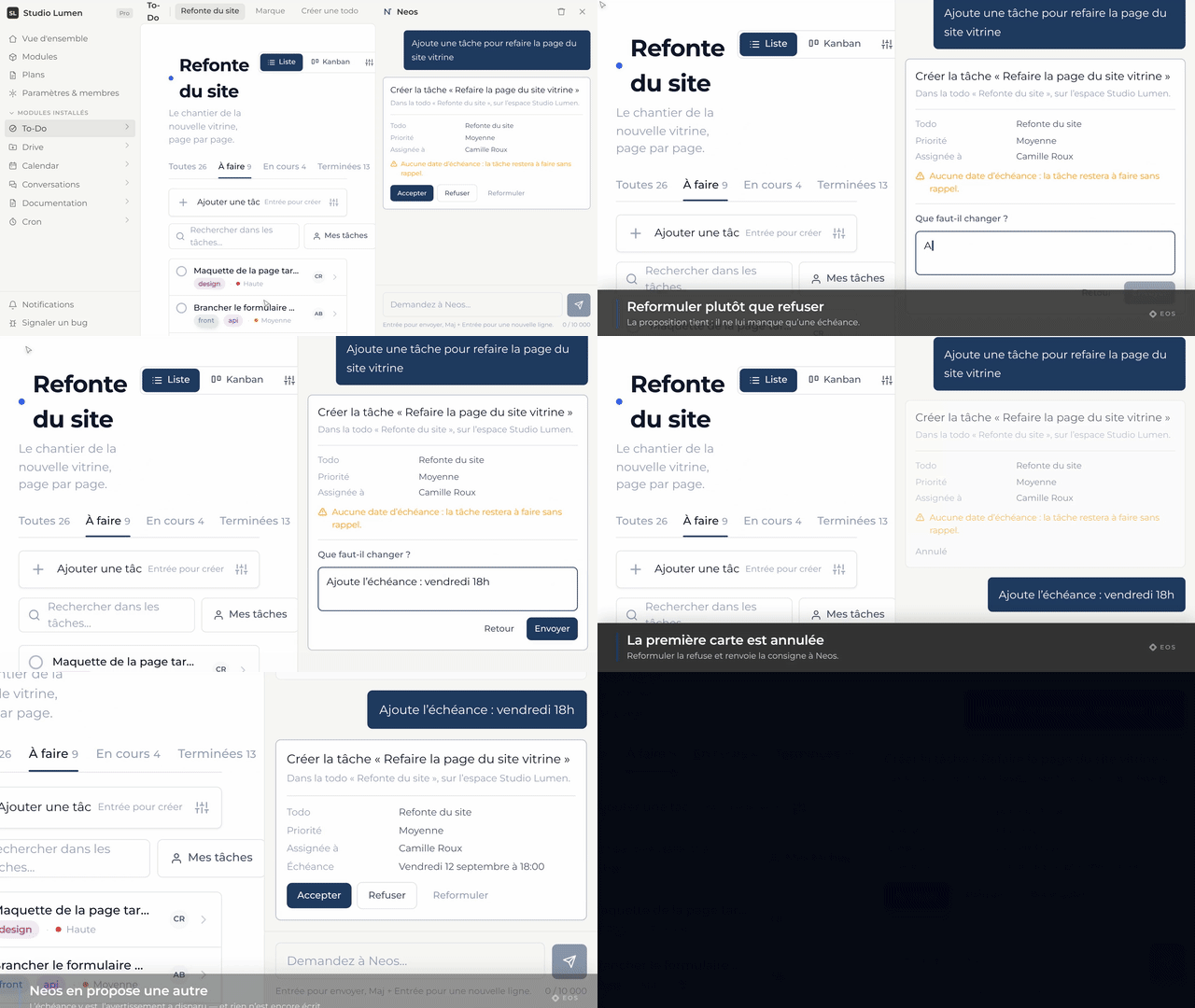
Neos reads freely, but every creation, change or deletion is shown in a card before it runs. You accept, you correct, or you refuse — action by action.
Frequently asked
Who has access to Neos in my organization?
The members you grant the access permission to, set per role from the module’s page. The others do not even see the button.
Does Neos remember the conversation?
Yes, within the current thread: “open it” is enough after you have talked about a task. Every new thread starts from a blank page.