Eos
Modules
  • ANeosVotre IA qui vous aide. Pour de vrai.
  • CalendarbêtaL'agenda qui suit votre regard, du mois à la minute.
  • ConversationsbêtaParler à côté du travail, pas ailleurs.
  • CronCe qui doit tourner tourne, même quand vous dormez.
  • DocumentationVotre savoir, écrit une fois, lisible par les bonnes personnes.
  • DrivebêtaUn espace à vous, un espace à tous, et rien entre les deux.
  • MongoDBbêtaVos bases MongoDB, ouvertes dans l'onglet d'à côté.
  • MySQLbêtaVos bases MySQL, ouvertes dans l'onglet d'à côté.
  • Server monitorbêtaVos serveurs vous parlent. Ici, vous les écoutez.
  • To-DoVos tâches, sans l'usine à gaz.
  • VeosbêtaVos variables d'environnement, une fois pour toutes.
All modules
Pricing
Blog
Help
Contact
Sign inCreate an account
Modules
  • Neos
  • Calendar
  • Conversations
  • Cron
  • Documentation
  • Drive
  • MongoDB
  • MySQL
  • Server monitor
  • To-Do
  • Veos
Pricing
Blog
Help
Contact
Sign in
  1. Home
  2. /Help centre
  3. /To-Do
  4. /Rename a list
To-Do

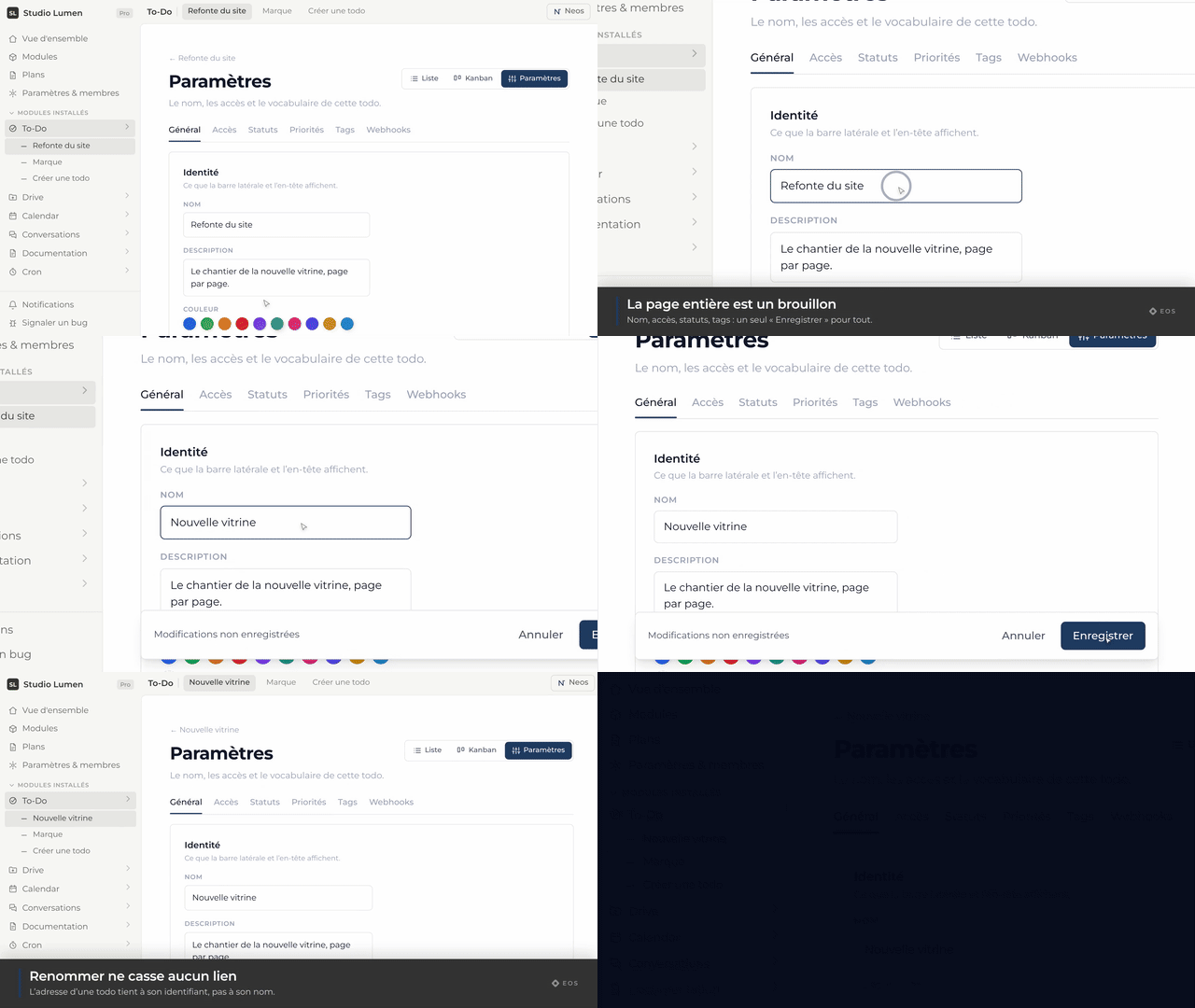
Rename a list

The name the sidebar and the header show.

Guide·1 min

MP4GIF

The To-Do module holds a team’s work: lists with their own access rules, tasks with priority, due date, tags and assignees, and two ways to look at them — the list and the kanban board.

Every page in this topic

  • Create a task
  • Create a detailed task
  • Complete a task
  • Open a task’s details
  • Rename a task
  • Write a description
  • Change the priority
  • Add tags
  • Add a note
  • Set a due date
  • Assign a task
  • Change the status
  • Create a recurring task
  • Delete a task
  • Open the kanban view
  • Move a card
  • Search for a task
  • Show only my tasks
  • Filter tasks
  • Sort tasks
  • The status tabs
  • Create a list
  • Rename a list
  • Describe a list
  • Change a list’s colour
  • Change a list’s access
  • Edit the statuses
  • Edit the priorities
  • Manage tags
  • Delete a list
Previous pageCreate a listNext pageDescribe a list

Read next

  • Create a list
  • Describe a list
  • Change a list’s colour

Still not finding your answer?

Write to us — every question we receive makes this help centre better.

Contact support
Eos

The modular workspace for teams who build — tasks, documents, calendar, automations, and an AI assistant that actually acts.

Language
FrançaisEnglish

Product

  • All modules
  • Neos, the AI assistant
  • Task management
  • Documents & tables
  • Pricing

Resources

  • Help centre
  • Blog
  • Contact

Account

  • Create an account
  • Sign in

Legal

  • Legal information
  • Legal notice
  • Privacy
  • Terms of use
  • Terms of sale
  • Cookies

Modules

  • Neos
  • Calendar
  • Conversations
  • Cron
  • Documentation
  • Drive
  • MongoDB
  • MySQL
  • Server monitor
  • To-Do
  • Veos

© 2026 Eos. All rights reserved.